




WHAT ARE YOU LOOKING FOR?
Your Cart ( 0 )
WHAT ARE YOU LOOKING FOR?
Your Cart ( 0 )

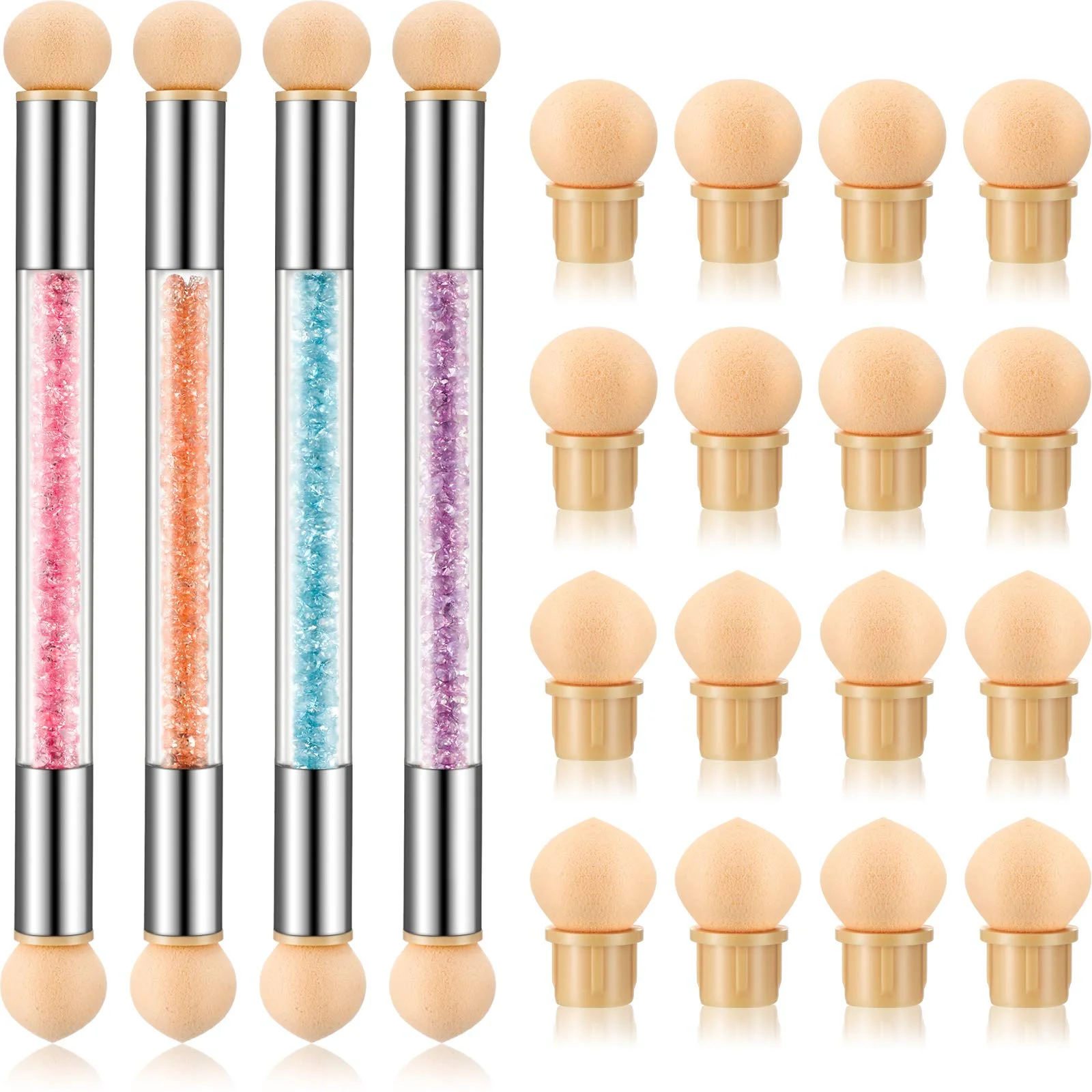
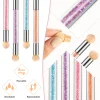
Sponge Nail Brush Picking Dotting Gradient Pen Brush Double Head Sponge Nail Brush Handle Acrylic Nail Painting Brush

$0.99

Free shipping, arrives by Thu, Jun 2 to Sacramento
Want to Track Your Order? Add an address to see options
SKU: 04BFF78TUM1R Category:

Guarantee Safe Checkout

Description

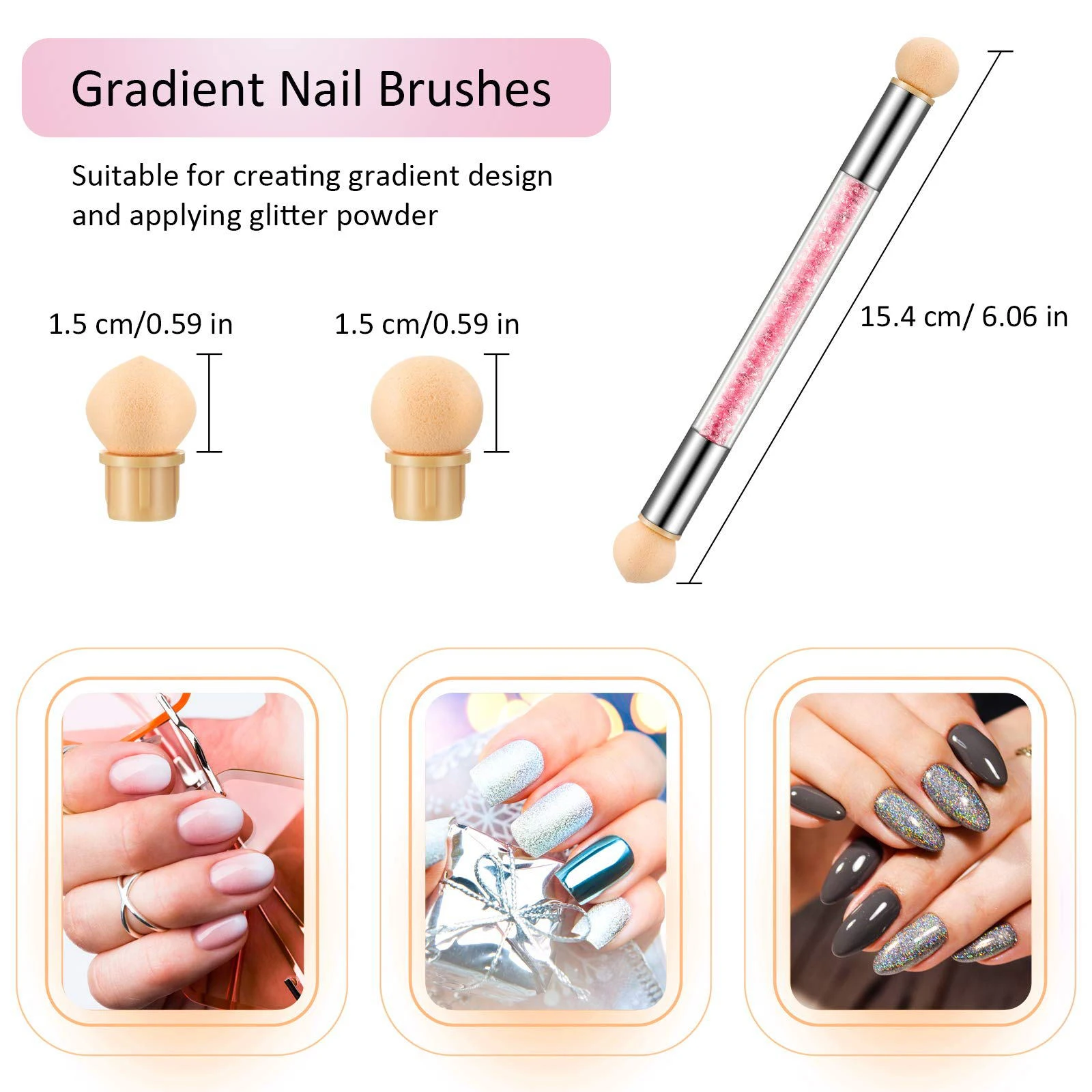
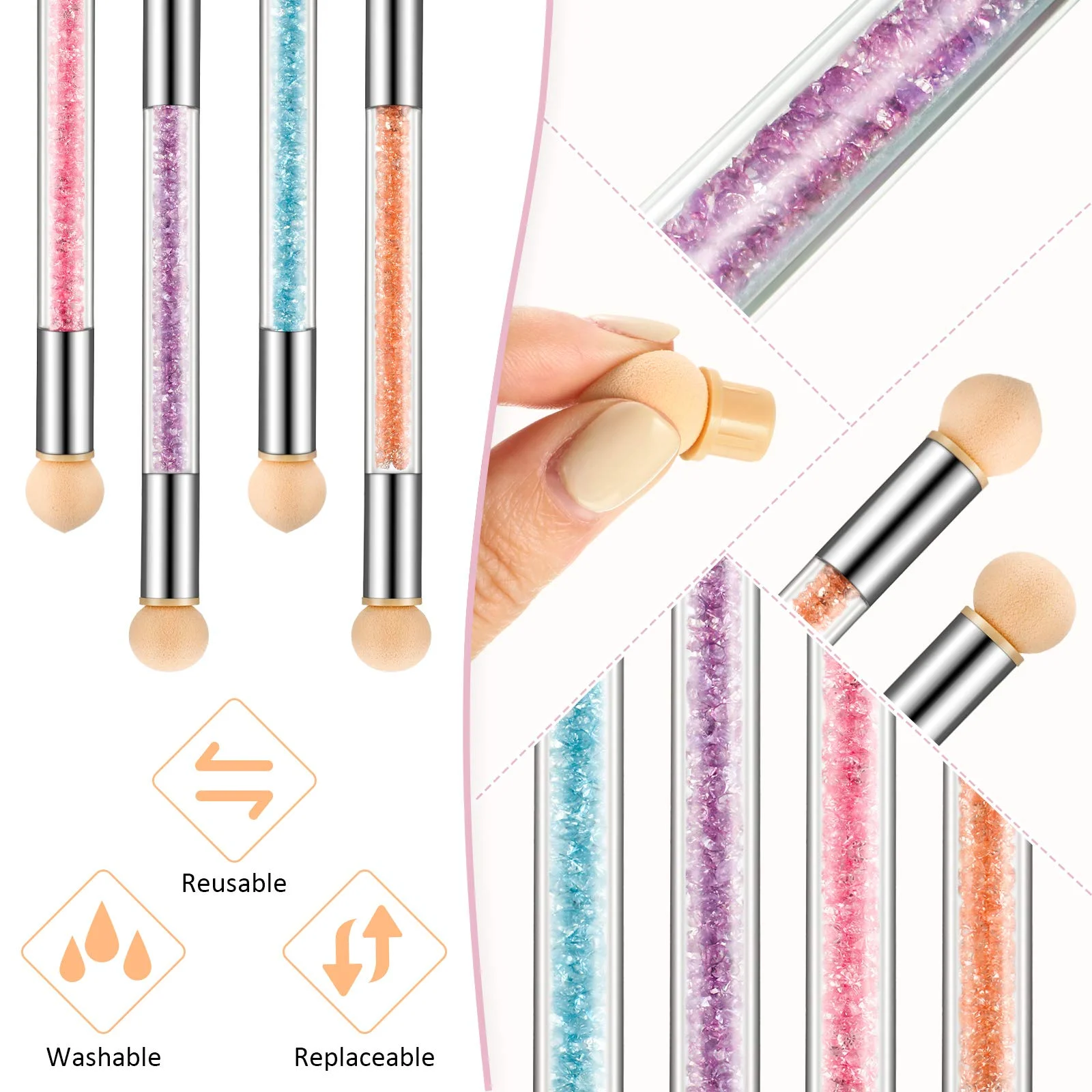
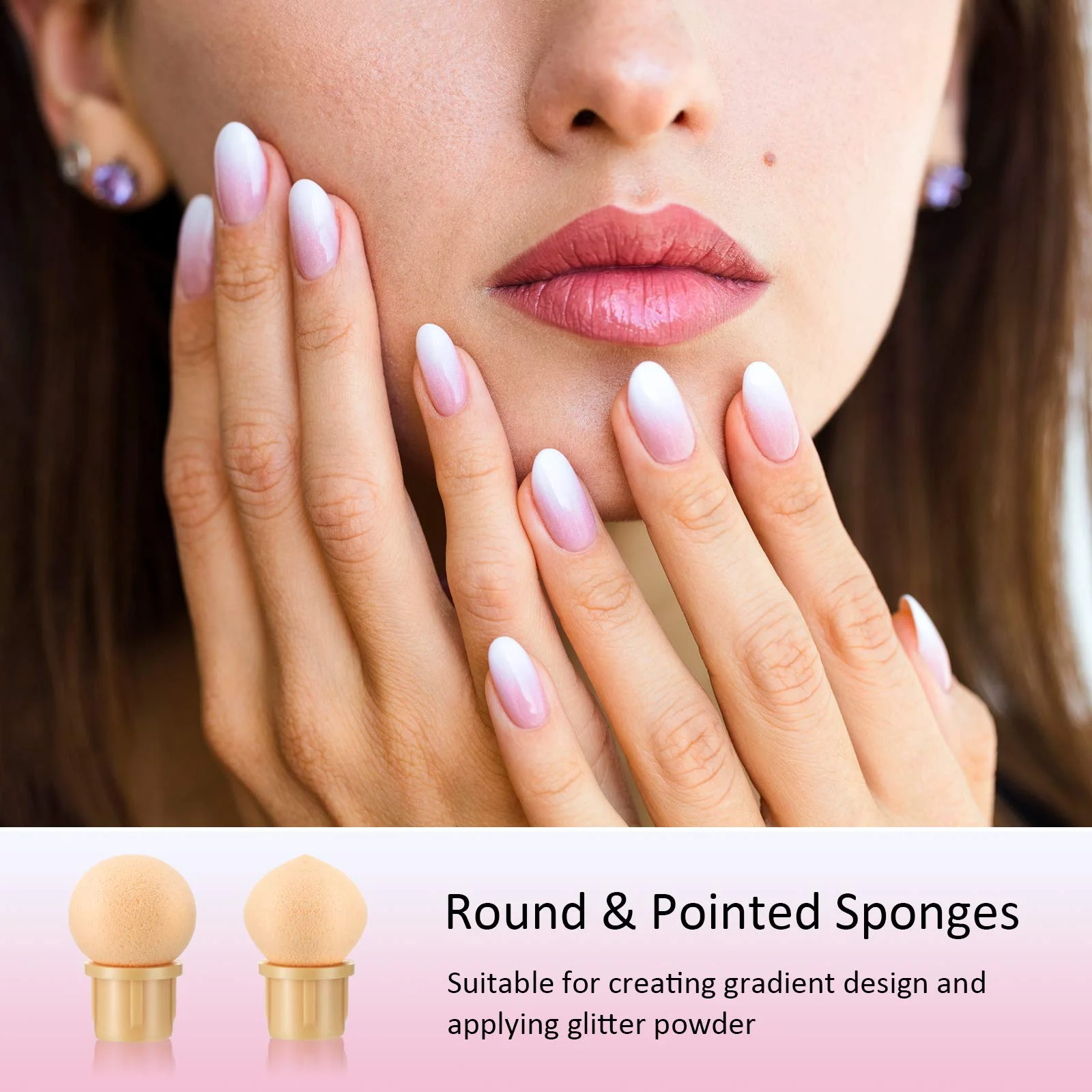
Double head style:each sponge nail brush is designed with double heads which are round and pointed sponges, suitable for creating gradient design and applying glitter powder, you can draw any beautiful painting as you like, they are washable and replaceable, keep it clean and safe for next time using
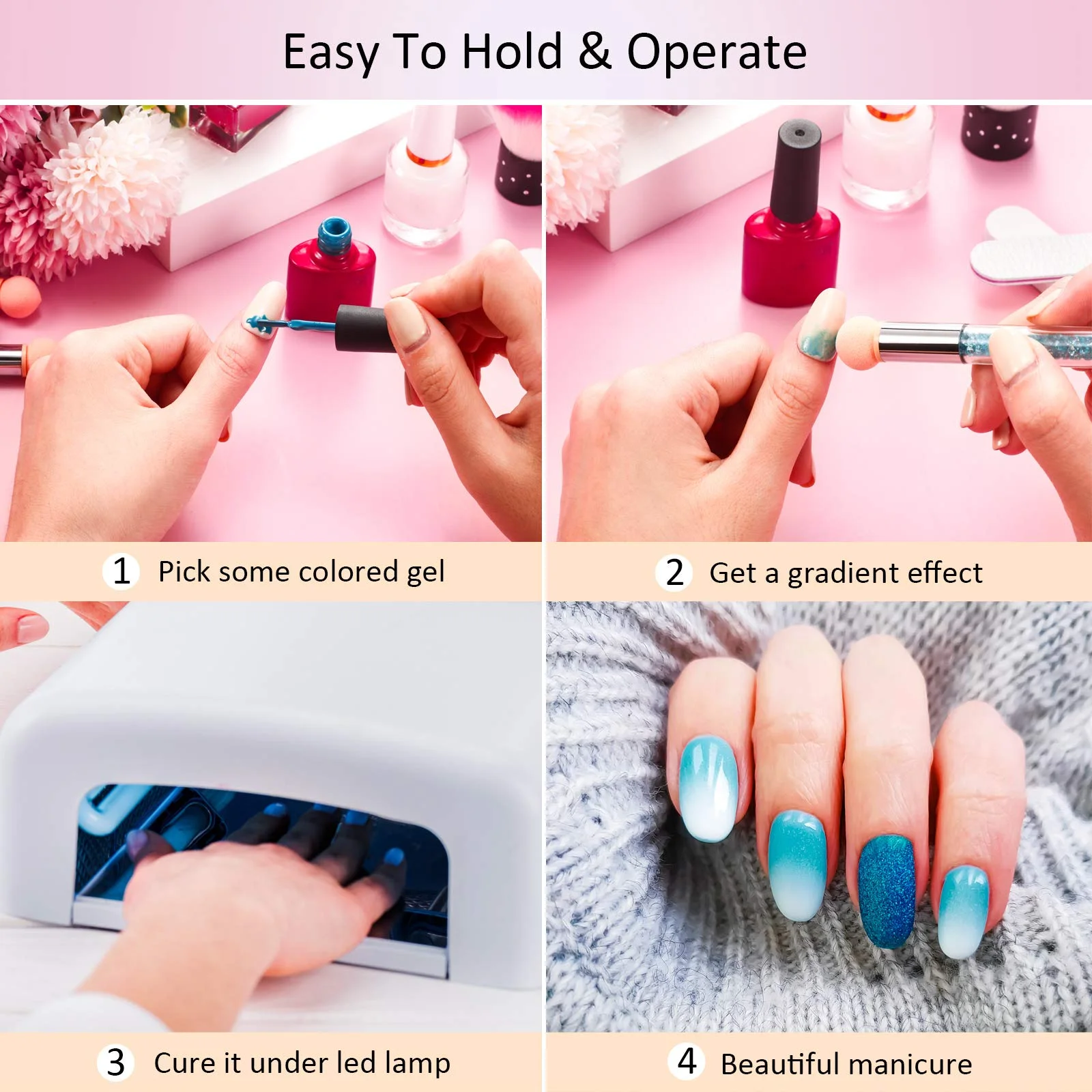
Easy to hold and operate:our double head sponge nail brushes are good for gradient design, with a total length of 15.4 cm/ 6.06 inches, easy to hold and operate, just use the sponge head to pick some colored gel, and dot it on nails to get a gradient effect
Rhinestone handle:the handle is made from sturdy acrylic, decorated with shiny and colorful rhinestones in the transparent tube, looks exquisite and charming, with aluminum joint, secure and stable
Wide applications:these rhinestone handle acrylic nail painting brushes can work with oils, acrylics, gels and more, suitable for professional nail salon and home, nice tools for women and girls

Additional information

Weight 0.03 kg
Dimensions 21 × 13 × 2 cm
Hign-concerned Chemical None
Number of Pieces One Unit
Size 15.4CM
Material Silicone + plastic
Model Number MD-SMT-104
Brand Name DWLOL
Origin Mainland China
Item Type Nail Brush

Customer Review

5 star
0%
4 star
0%
3 star
0%
2 star
0%
1 star
0%

There are no reviews yet.

Review This Product

Be the first to review “Sponge Nail Brush Picking Dotting Gradient Pen Brush Double Head Sponge Nail Brush Handle Acrylic Nail Painting Brush”

Your email address will not be published. Required fields are marked *

Add photos

Picturesmax size:1024 KBmax files:4

<h3 id="1">What is a return and exchange policy?</h3> A return and exchange policy is a set of rules a retailer creates to manage how customers return and exchange unwanted merchandise they’ve purchased. These policies tell customers what items can be returned and for what reasons, as well as the timeframe over which returns are accepted. From<a href="https://www.apple.com/shop/help/returns_refund" target="_blank" rel="nofollow noopener noreferrer"> Apple</a>’s strict 14-day return policy, to<a href="https://www.ikea.com/us/en/customer-service/returns-claims/" target="_blank" rel="nofollow noopener noreferrer"> IKEA</a>'s generous 365-day turnaround, just about every major retailer offers return and refund policies to their customers—and your small business should, too. <h3 id="2">Why have a return policy?</h3> A fair return and exchange policy builds trust between a business and its customers. In fact, offering a clear and consistent way for customers to return a purchased item can increase conversion and repeat rates. Giving customers a full refund on their orders can result in a loss of profitability, and knowing that someone disliked your product can be disheartening for business owners who strongly believe in the benefits of their products and services. For these reasons, it can be tempting to avoid creating a comprehensive return and refund policy and leave the mounting problem unaddressed. As you’ll see, however, this would be a mistake.

This is the first item's accordion body. It is shown by default, until the collapse plugin adds the appropriate classes that we use to style each element. These classes control the overall appearance, as well as the showing and hiding via CSS transitions. You can modify any of this with custom CSS or overriding our default variables. It's also worth noting that just about any HTML can go within the .accordion-body, though the transition does limit overflow.

This is the first item's accordion body. It is shown by default, until the collapse plugin adds the appropriate classes that we use to style each element. These classes control the overall appearance, as well as the showing and hiding via CSS transitions. You can modify any of this with custom CSS or overriding our default variables. It's also worth noting that just about any HTML can go within the .accordion-body, though the transition does limit overflow.

This is the first item's accordion body. It is shown by default, until the collapse plugin adds the appropriate classes that we use to style each element. These classes control the overall appearance, as well as the showing and hiding via CSS transitions. You can modify any of this with custom CSS or overriding our default variables. It's also worth noting that just about any HTML can go within the .accordion-body, though the transition does limit overflow.